
Copyright © Arul Ananth 2024
M Capital Precious Metals Funds – Explore new opportunities for your gold holdings beyond traditional jewelry and investments
We have two app
1)Laravel web app
2)Wordpress website (General Pages)
App Repo Details
https://aananth123@bitbucket.org/aananth123/app.git
please get read and write permission from Mr.Arul Ananth (chris.vera@gmail.com)
Website Repo Details
https://aananth123@bitbucket.org/aananth123/website.git
please get read and write permission from Mr.Arul Ananth (chris.vera@gmail.com)
Installation is very easy with our Easy Installer. You can install yourself simply in few steps without any coding knowledge. We develop our installation system to make the installation process flawless and easy.
Installation Steps:
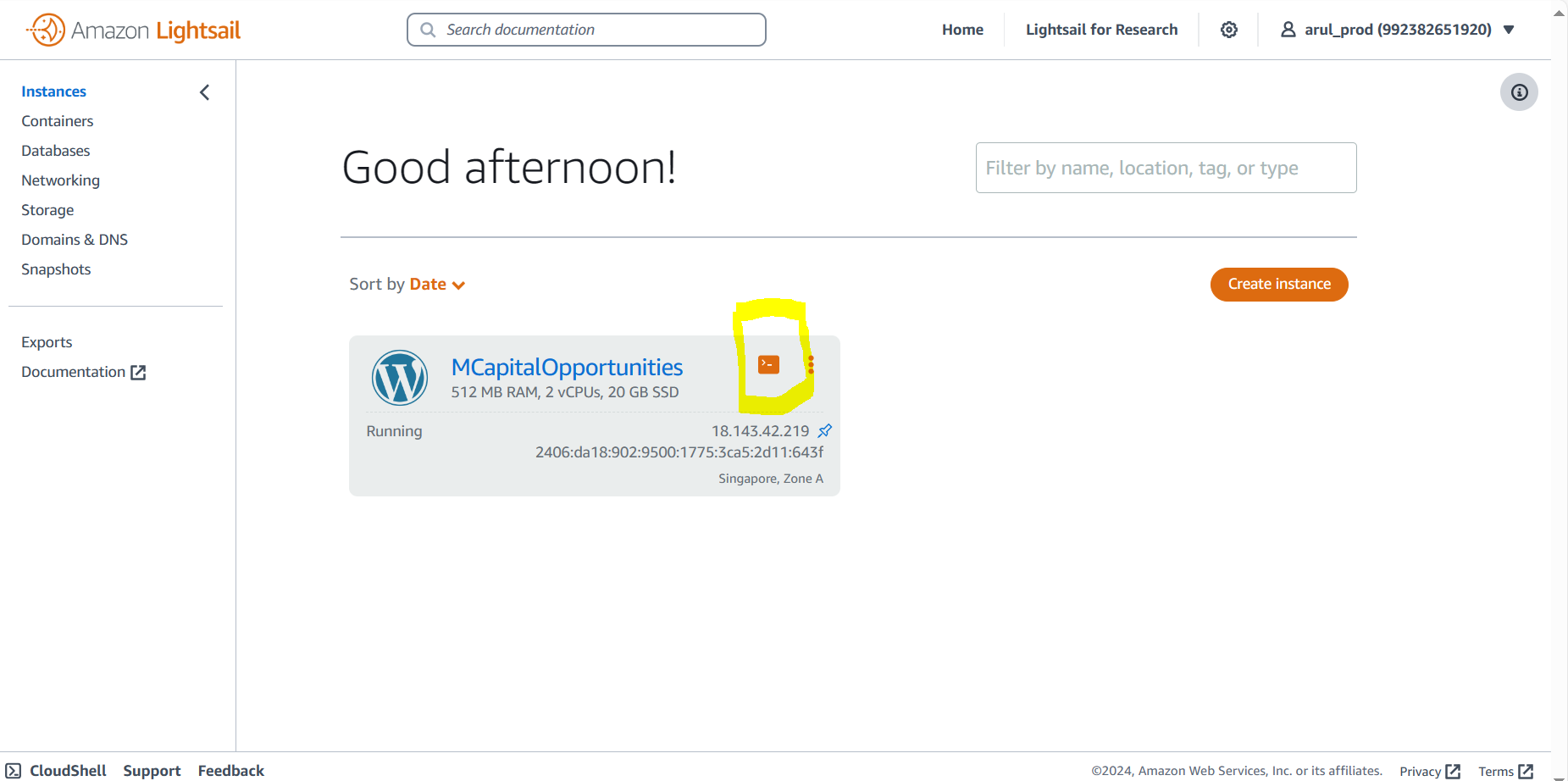
cd /opt/bitnami/
git clone https://aananth123@bitbucket.org/aananth123/app.git
select cd /opt/bitnami/app
sudo chown -R bitnami:bitnami /opt/bitnami/app/storagesudo chmod -R 755 /opt/bitnami/app/storagesudo chmod -R 777 /opt/bitnami/app/vendorphp artisan migrate && php artisan db:seed php artisan key:generate
php artisan optimize:clear

please follow the above image. Select the assigments and enter sub domain name and select the resource (AWS Lightsail instance IP)
Select the resource
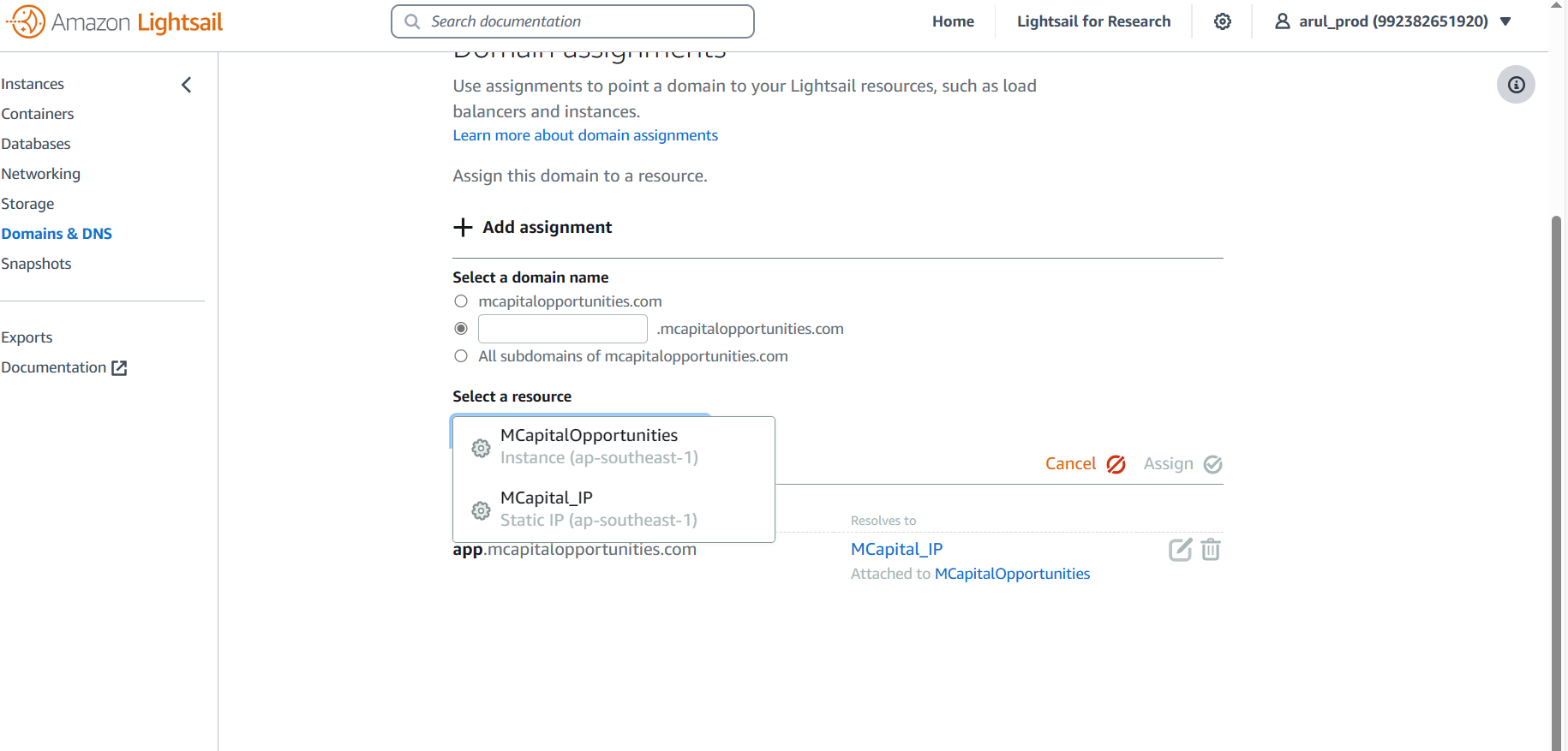
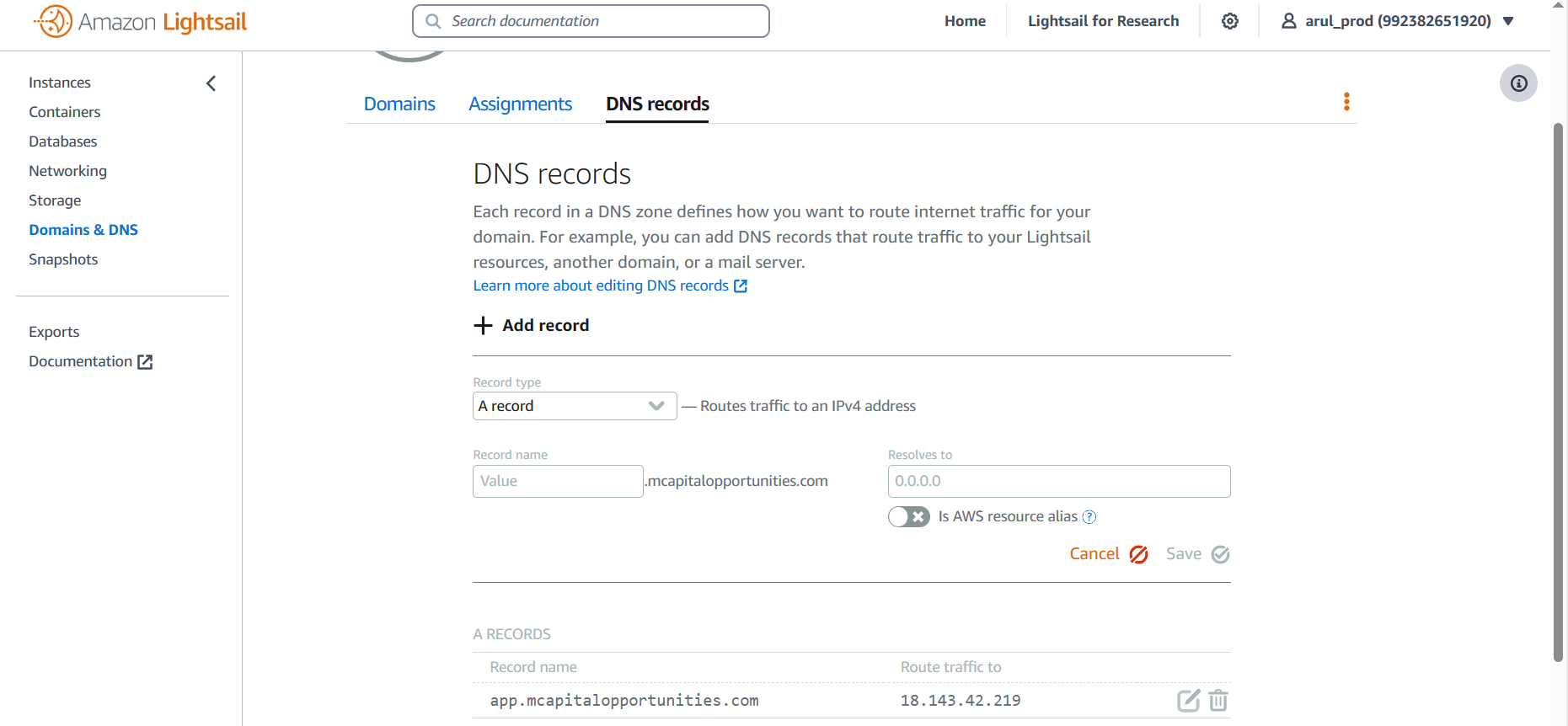
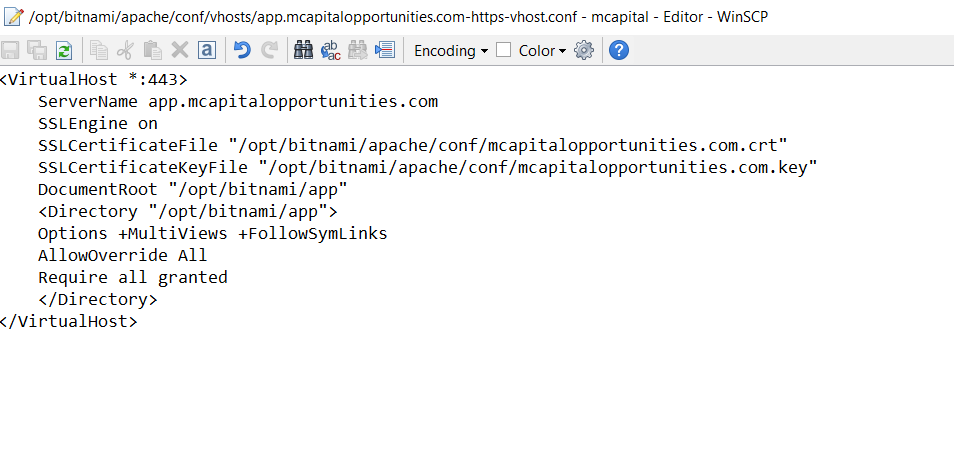
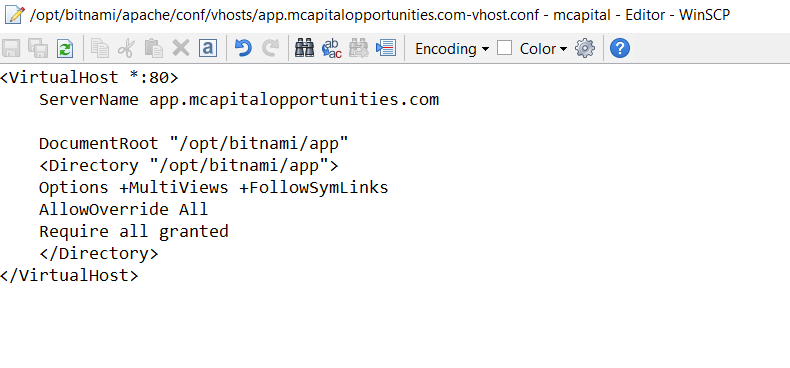
Sub directory root is "/opt/bitnami/app". Please upload app directory here. Please verify your have SSL cerificate file uploaded on right path.
SSLCertificateFile "/opt/bitnami/apache/conf/mcapitalopportunities.com.crt" SSLCertificateKeyFile "/opt/bitnami/apache/conf/mcapitalopportunities.com.key"
After DNS propagation completes (usually 24-48 hours), access your subdomain in a web browser to verify that your Laravel application is functioning correctly under the subdomain.
please follow the link https://gist.github.com/damusix/c12400ee0ccb7e56351619ae2b19a303 # Convert AWS IAM credentials to AWS SMTP credentials
If you do, or want to, use AWS to deploy your apps, you will end up using AWS SES via SMTP when you're launching an app that sends out emails of any kind (user registrations, email notifications, etc). For example, I have used this configuration on various Ruby on Rails apps, however, _it is just basic SMTP configurations_ and crosses over to any framework that supports SMTP sendmail.
There are two ways to go about this:
EASY WAY: Create an SMTP user via AWS SES [http://docs.aws.amazon.com/ses/latest/DeveloperGuide/smtp-credentials.html#smtp-credentials-console]
NOT SO EASY WAY: Create an SMTP password for an existing IAM user [^^ Same link scroll down]
Luckily, you found this MD file and the NOT SO EASY WAY is suddenly copy-pasta... sudo yum....
Assuming you've already set up your SES Policy on your IAM User:
                              ```
                              {
                              "Version": "2012-10-17",
                              "Statement": [
                                  {
                                  "Effect":"Allow",
                                  "Action":["ses:SendEmail", "ses:SendRawEmail"],
                                  "Resource":"*"
                                  }
                              ]
                              }
                          ```
Go ahead and drop this into an bash session, or somewhere in your app, and pass in your IAM user's secret key to generate your SMTP password :)
Seconday Color: Secondary color of your system
                                < ? php

                                function aws_iam_smtp_password_generator($secret) {
                                  $message = "SendRawEmail";
                                  $versionInBytes = chr(2);
                                  $signatureInBytes = hash_hmac('sha256', $message, $secret, true);
                                  $signatureAndVer = $versionInBytes.$signatureInBytes;
                                  $smtpPassword = base64_encode($signatureAndVer);

                                  return $smtpPassword;
                                }

                              ? >
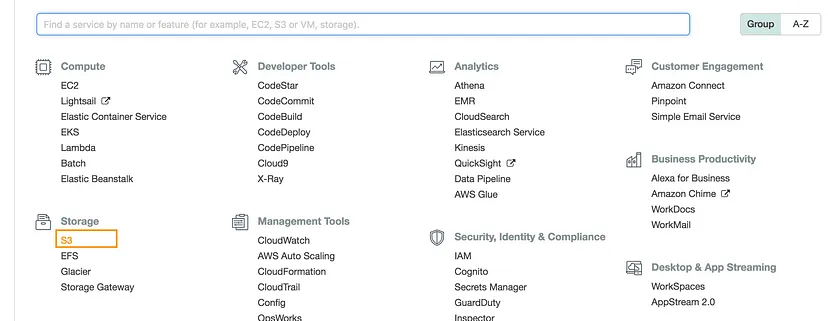
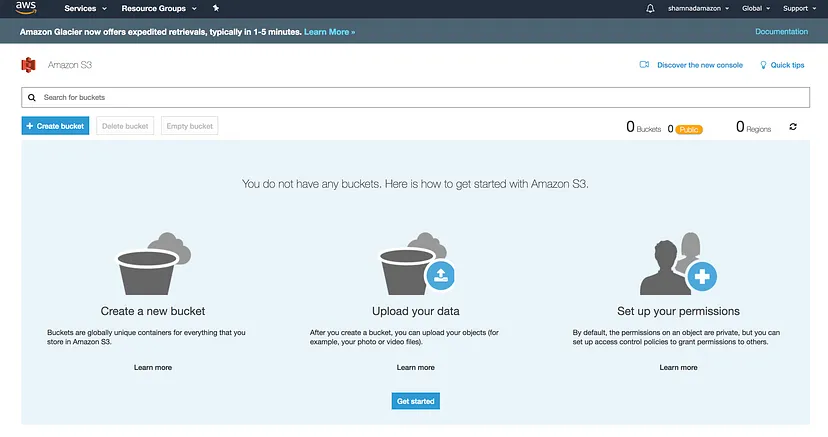
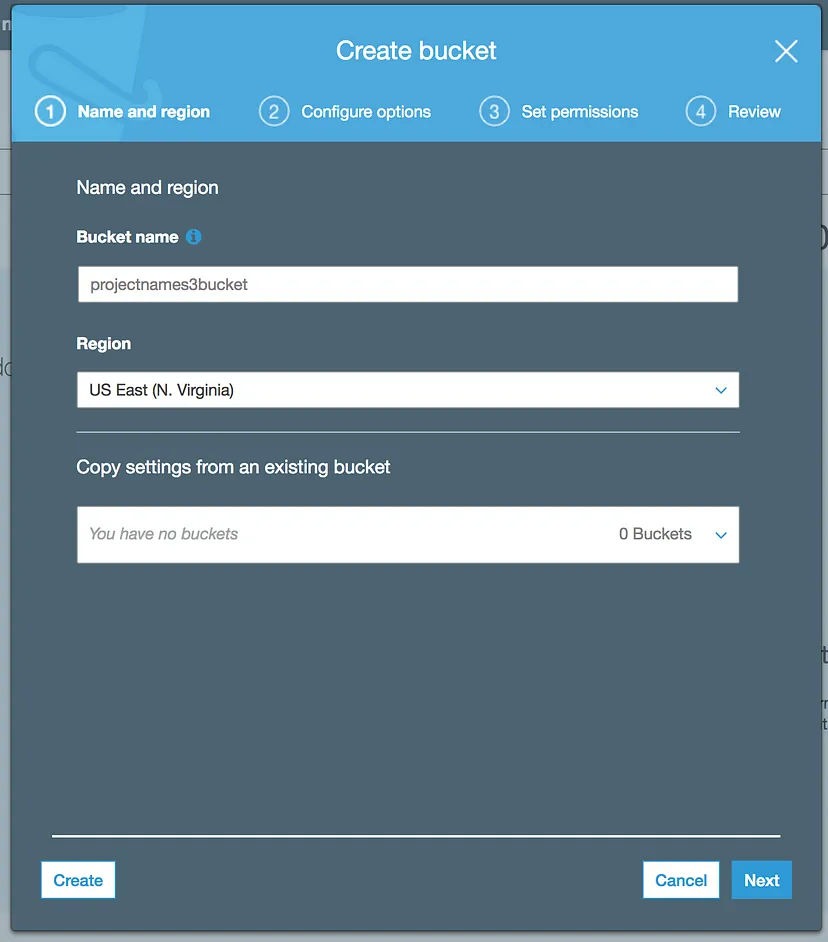
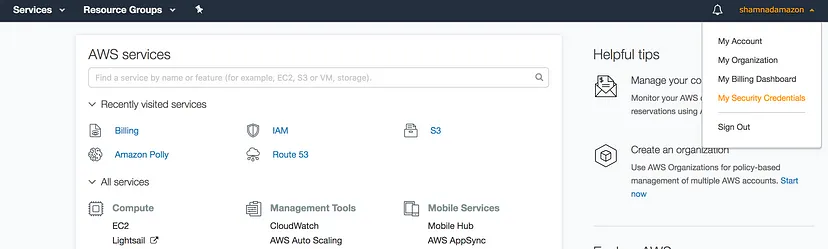
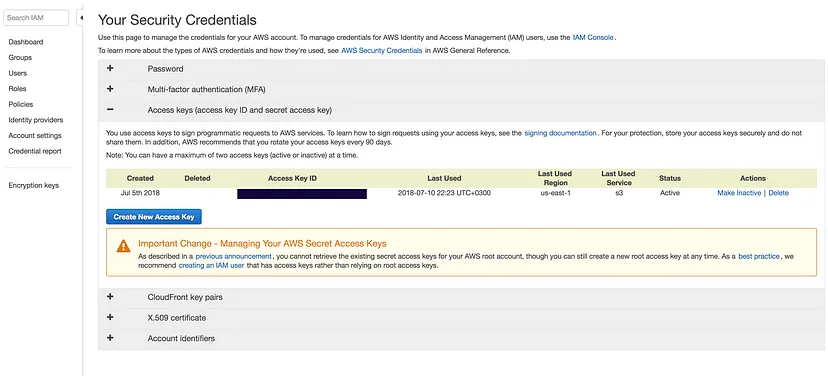
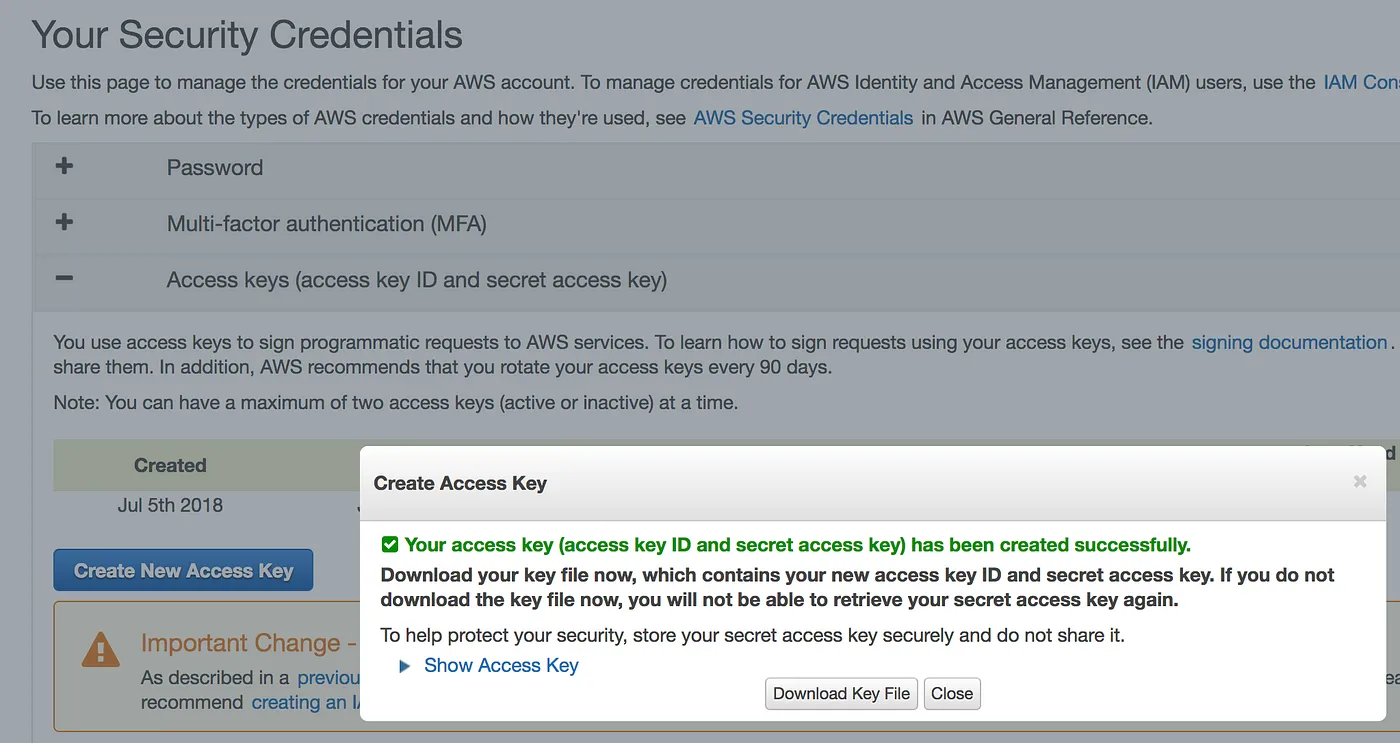
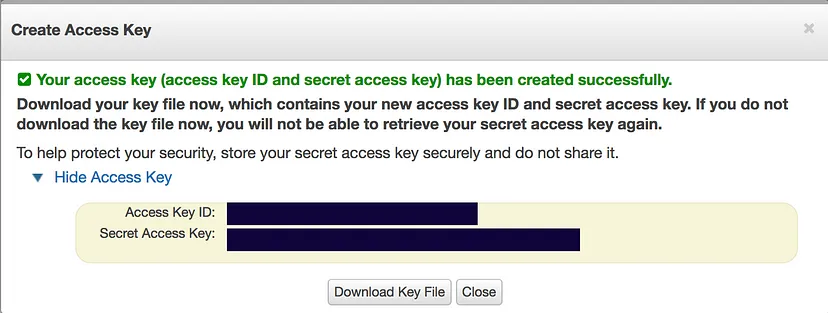
Creating an S3 Bucket
Connect bitbucket (Only First Time)
Open the terminal Select the director cd /opt/bitnami/app
git init
git remote add aananth123 https://aananth123@bitbucket.org/aananth123/app.git
You need enter bibucket username and password
git pull origin main
composer install
php artisan migrate
php artisan key:generate
php artisan optimize:clear
Existing Repo Deployment
Open the terminal Select the director cd /opt/bitnami/app
git pull origin main
You need enter bibucket username and password
composer update
php artisan migrate
php artisan key:generate
php artisan optimize:clear
composer install: This will create vendor directory and install all the packages.Please run this command when vendor directory is missing /opt/bitnmai/app
composer update: This will update all the packages and merge the vendor directory .Please run this command when vendor directory is existing /opt/bitnmai/app
php artisan migration: Executes all pending migrations.
php artisan migrate:rollback: Rolls back the latest migration.
php artisan db:seeder: Creates a new seeder class. (Execute only new installtion)
php artisan optimize:clear
Caches configuration files for performance optimization.
Clears the configuration cache
Clears the view cache.
Clears the application cache.
Clears the compiled classes.
Clears the view file cache.
php artisan key:generate command in Laravel is used to generate a new application key .env file
Run the Scheduler
To activate the cron job, ensure that Laravel’s scheduler is running. You can set it up on your server by adding this to your cron:
sudo crontab -e
Paste the following at the bottom of the file:
* * * * * php /opt/bitnami/app/artisan schedule:run >> /dev/null 2>&1
To verify the scheduler
php artisan schedule:list you can see next scheduler run time
To watch the scheduler
php artisan schedule:work you can see scheduler logs
php artisan schedule:run Execute the scheduler
Bitnami / Lightsail - Site suddenly started loading Apache2 Debian Default Page.After the reboot plase check its running apache2 or apache. We need enable the apache.
If apache2 is enable please execute the follow the commands terminal
sudo service apache2 stop
sudo systemctl disable apache2
sudo apt remove apache2
sudo apt purge apache2
sudo /opt/bitnami/ctlscript.sh start apache
sudo /opt/bitnami/ctlscript.sh restart apache
Reference Link : https://docs.bitnami.com/aws/faq/administration/control-services/
This guide is designed to help you troubleshoot common issues that may arise when you reboot the server.It covers a range of topics, from basic file permissions to complex configuration issues.
Incorrect Permissions
Problem: Laravel often requires specific permissions for its directories and files to function correctly
chmod -R 775 storage
Bootstrap/Cache Directory:
chmod -R 775 bootstrap/cache
Vendor Directory:
chmod -R 755 vendor
Change Ownership to the Web Server User:
chown -R bitnami:bitnami storage bootstrap/cache vendor
Problem: A misconfigured .htaccess file can prevent Laravel from routing requests correctly.
Double-Check Configuration: Ensure that the .htaccess file is correctly configured to point to the public directory.
Temporary Disable: Temporarily rename the .htaccess file to see if it resolves the issue
Problem: Migration errors can occur due to permission issues or database configuration problems
Check Database Credentials: Verify that the database credentials in your .env file are correct.
Run Migrations: Use the following command to run pending migrations
php artisan migrate
Problem: Laravel's storage system may encounter issues if it cannot write to the storage directory.
Check Permissions: Ensure the storage directory and its subdirectories have the correct permissions.
Run Storage Link: Create a symbolic link to the storage directory:
php artisan storage:link
Problem: Laravel requires a specific PHP version. (Required above 8.1)
Solution: Check PHP Version: Verify that your server is running the required PHP version. Update PHP: If necessary, update your server's PHP version.
Problem: Incorrect web server configuration can lead to various issues.
Solution: Check Configuration Files: Review your web server's configuration files (e.g., httpd.conf, nginx.conf) to ensure correct settings. Consult Documentation: Refer to your web server's documentation for specific configuration instructions.